
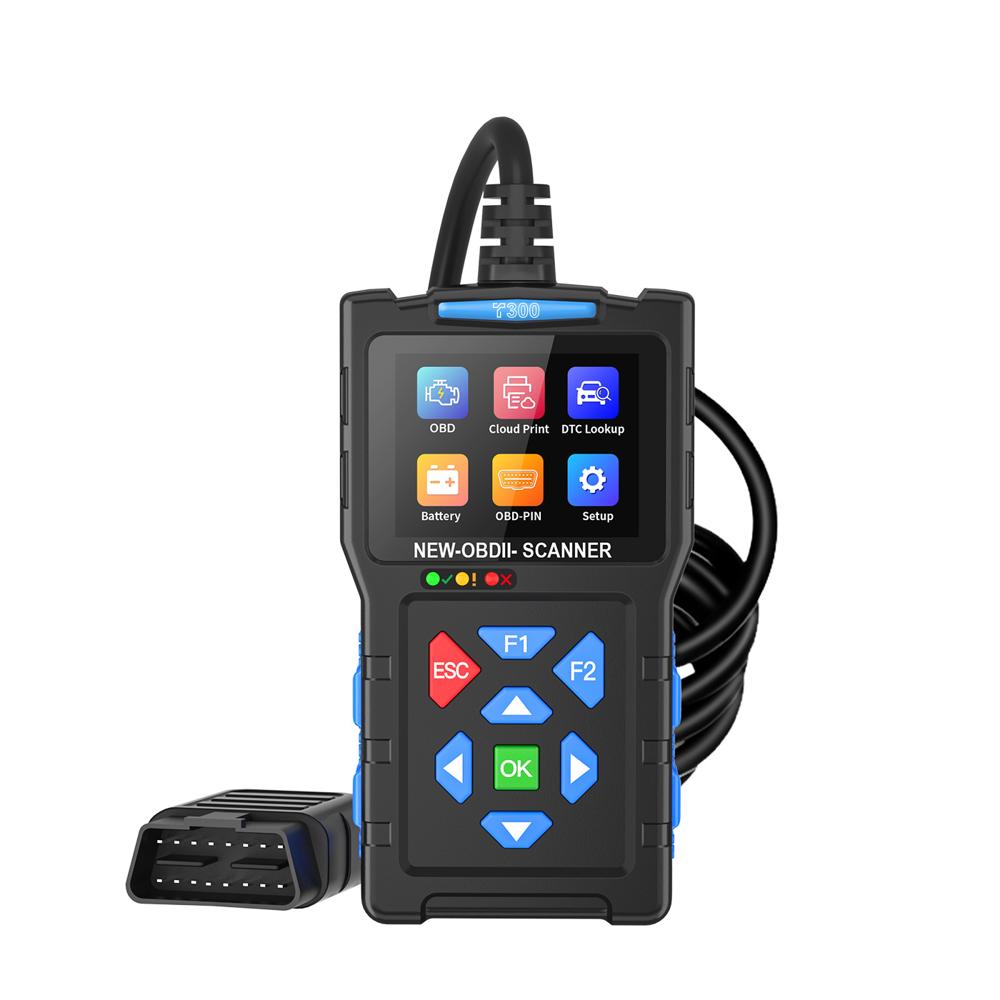
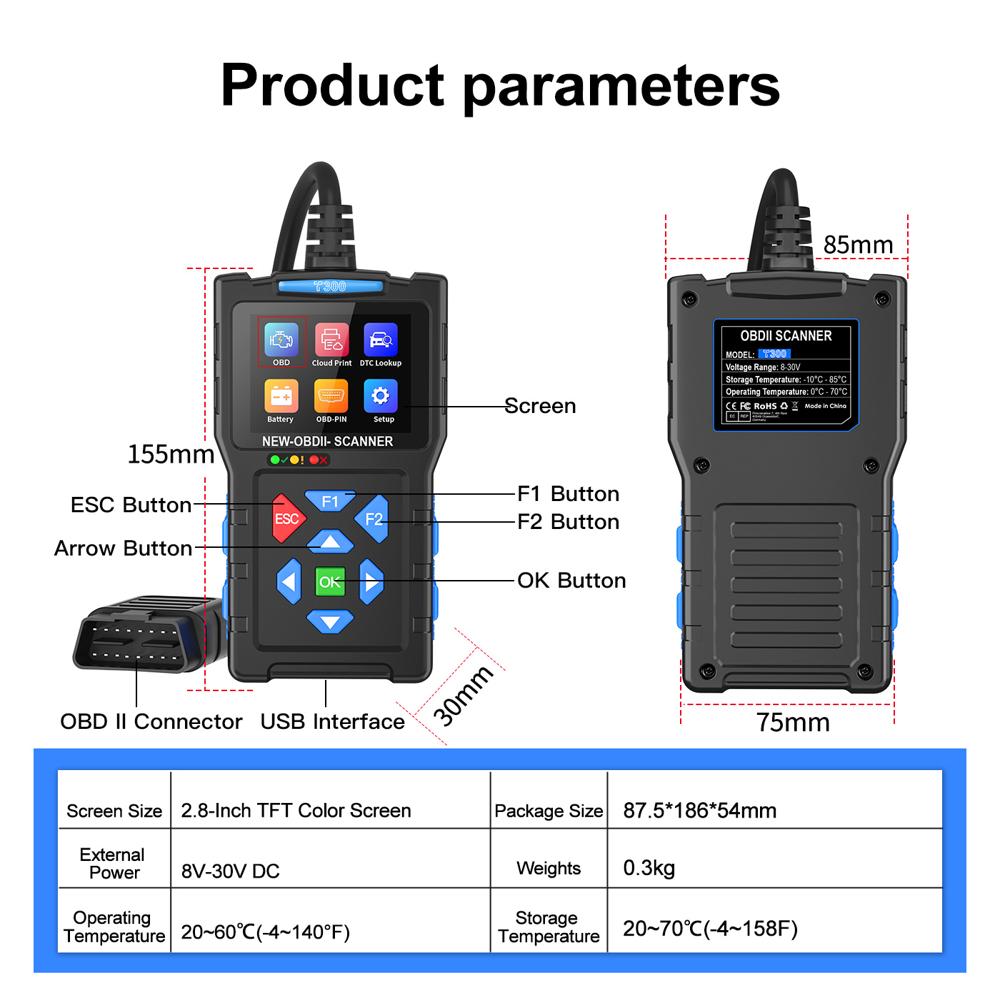
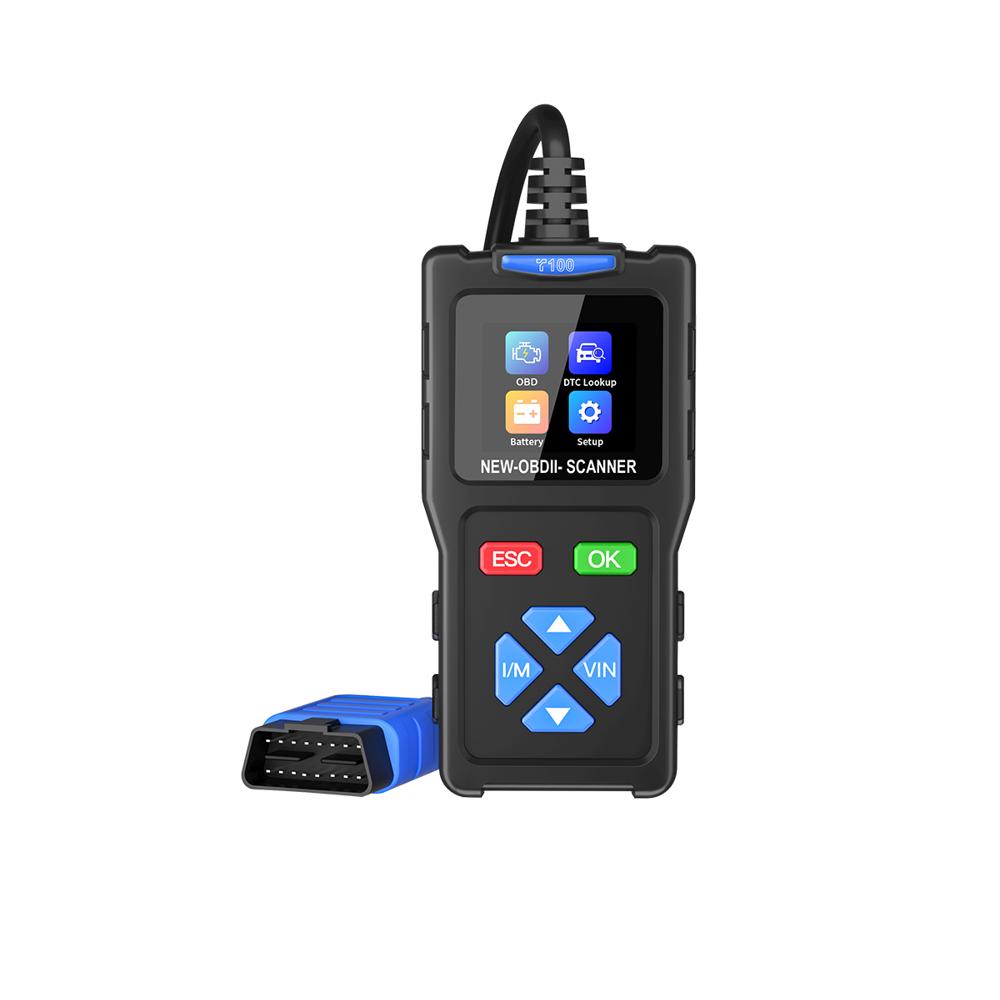
T300 OBD2 Scanner Battery Tester Waveform Monitoring 50000+ DTCs 2.8in Color Screen
4250.0 INR/Piece
Product Details:
- For Use In Automotive Diagnostics
- Product Type OBD2 Scanner Battery Tester
- Part Type Diagnostic Tool
- Model No T300
- Dimension (L*W*H) 185 x 90 x 32 mm
- Size Standard Handheld
- Working Life >10,000 Operations
- Click to View more
X
T300 OBD2 Scanner Battery Tester Waveform Monitoring 50000+ DTCs 2.8in Color Screen Price And Quantity
- 4250.0 INR/Piece
- 1 Piece
T300 OBD2 Scanner Battery Tester Waveform Monitoring 50000+ DTCs 2.8in Color Screen Product Specifications
- 280g
- >10,000 Operations
- 185 x 90 x 32 mm
- T300
- Standard Handheld
- Diagnostic Tool
- Automotive Diagnostics
- OBD2 Scanner Battery Tester
- -10C to 60C
- Matte Finish
- Textured
- Proprietary Firmware
- Passenger Cars, Light Commercial Vehicles
- 2.8-inch Color LCD
- Silent
- Black & Orange
- Yes
- Wired (OBD2 interface)
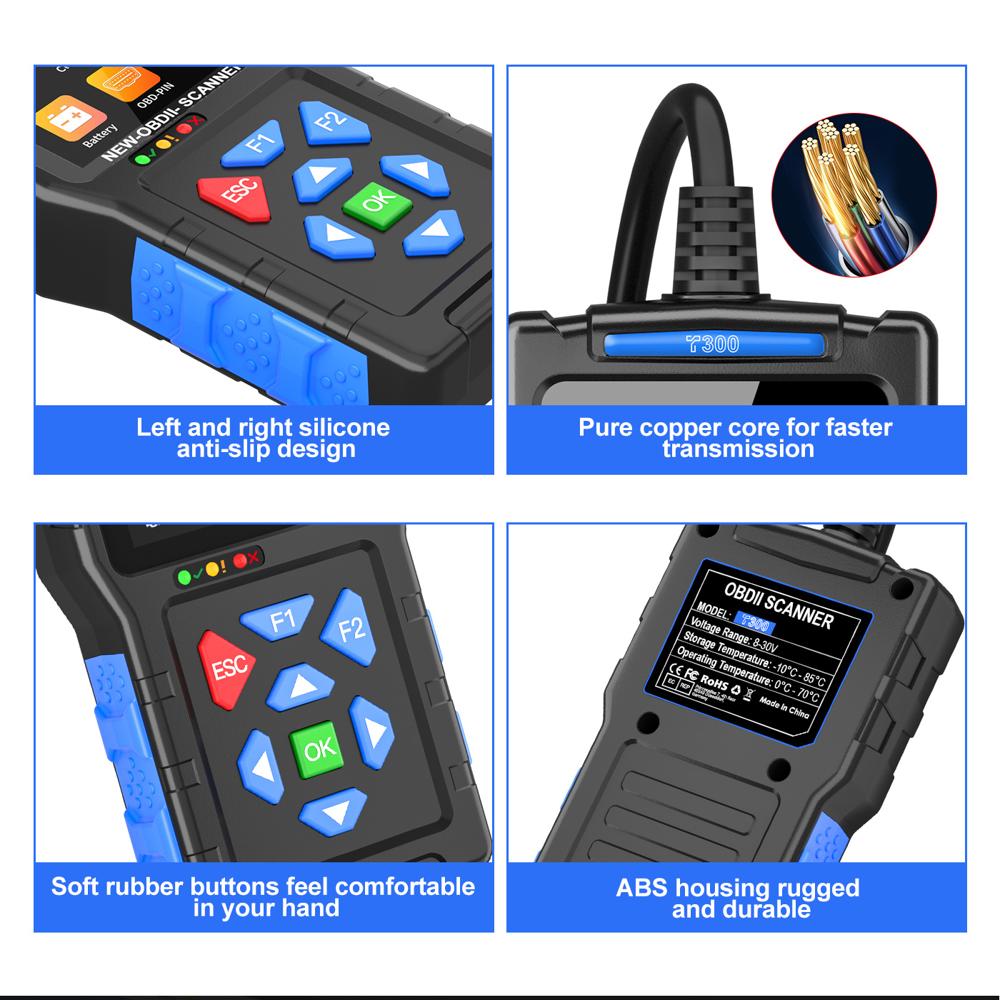
- ABS Plastic
- Handheld/Electronic
- OBD2/EOBD/CAN
- Yes (for Display Panel)
- LED Indicators
- Supported (SoC, SoH, Cranking Test)
- Powered by Vehicle OBD Port
- Free Lifetime Updates
- 50,000+ Diagnostic Trouble Codes
- Live Data & Battery Waveform Display
- Built-in Data Storage for Results
- Yes (Review Past Diagnoses)
- Approx. 1 meter
- Yes (Multiple Languages)
- PC USB Update
- 9V - 18V DC
Product Description
OBDII + Battery Monitor Combines full OBDII diagnostic capabilities with essential battery startup, charging, and waveform monitoring functions.
Massive Code Database Features a built-in library of over 50,000 fault codes, providing deep insight into vehicle errors without looking them up online.
Convenient Cloud Printing Enables sharing of diagnostic reports via QR codes, supporting quick cloud printing from a computer or smartphone.
Customizable Shortcuts Includes programmable F1 and F2 shortcut keys to give you instant access to your most-used diagnostic functions.
Wide Multi-Language Support Offers a user interface in 13 languages, catering to professional mechanics and DIYers worldwide.
Full Product Description:
Item No: T300
T300 OBD2 Scanner & Battery Monitor
A powerful mid-range diagnostic tool that features an industry-leading fault code database and modern sharing capabilities. The T300 balances traditional vehicle diagnostics with essential battery health tracking.
Diagnostic & Monitoring
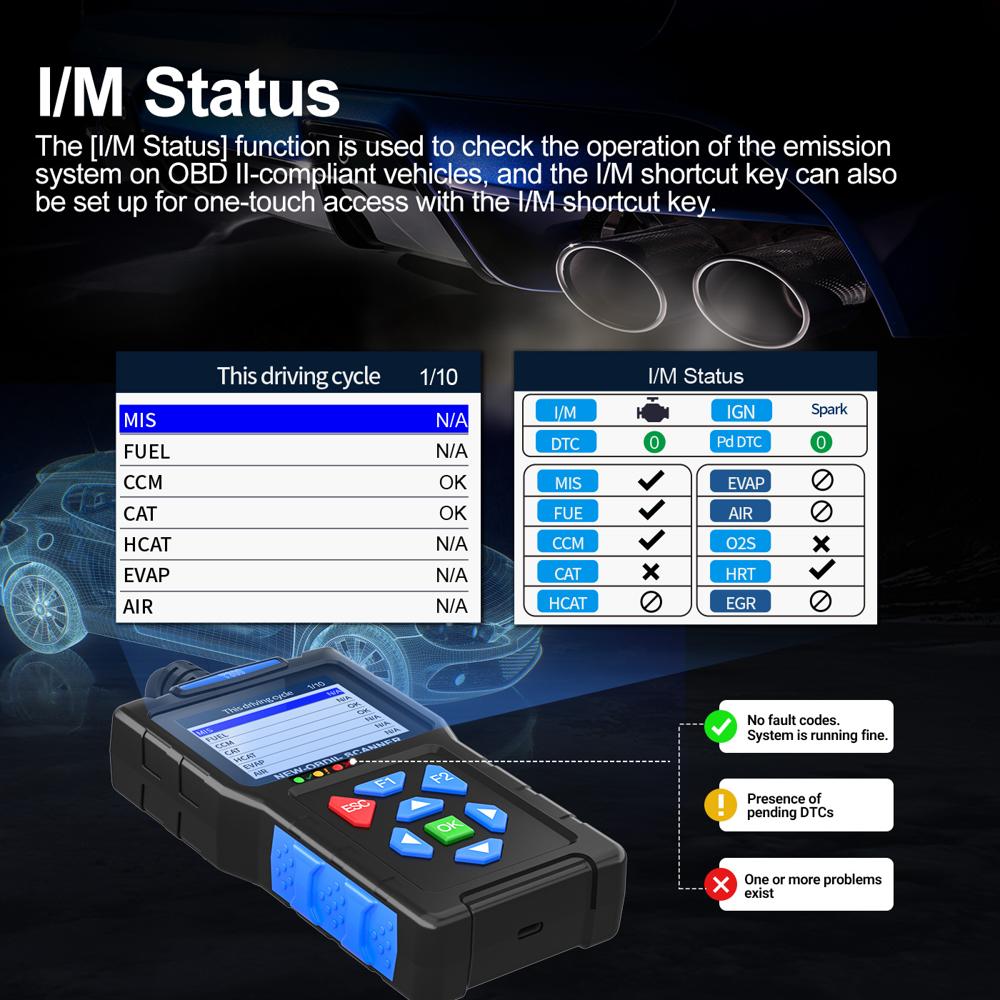
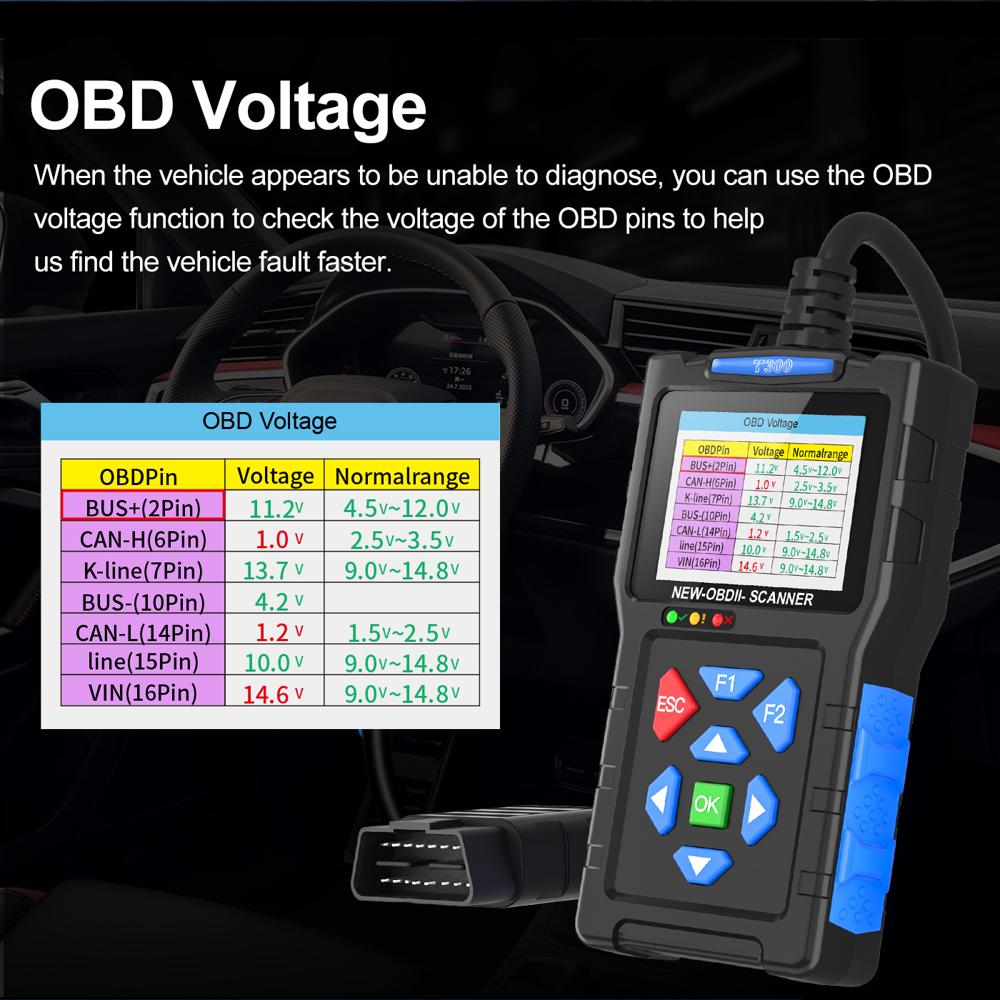
Full OBDII Engine Diagnostics
Battery Startup and Charging Test
Real-time Battery Voltage Waveform
50,000+ DTC Fault Code Lookup Library
QR Code for Cloud Printing Reports
Hardware Highlights
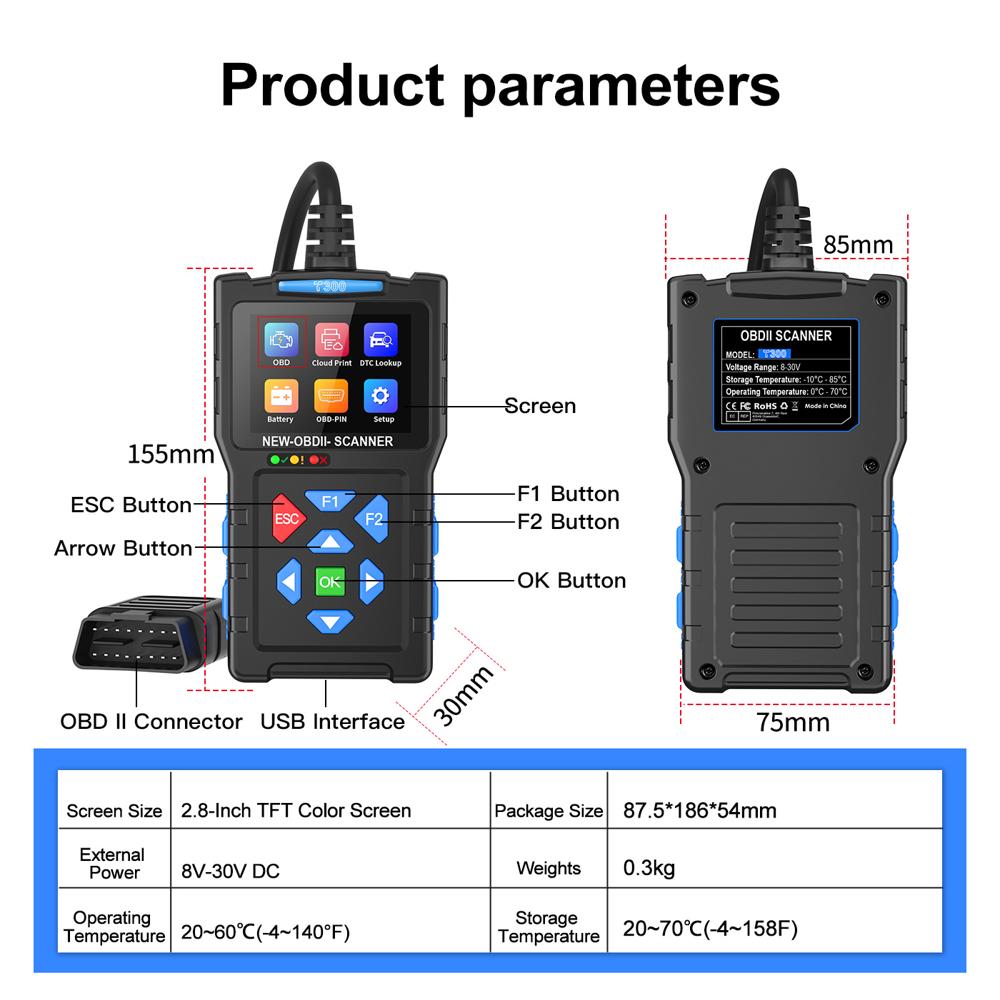
Screen: 2.8-inch TFT Color Display
Shortcuts: Customizable F1/F2 keys
Upgrade: Type-C online software updates
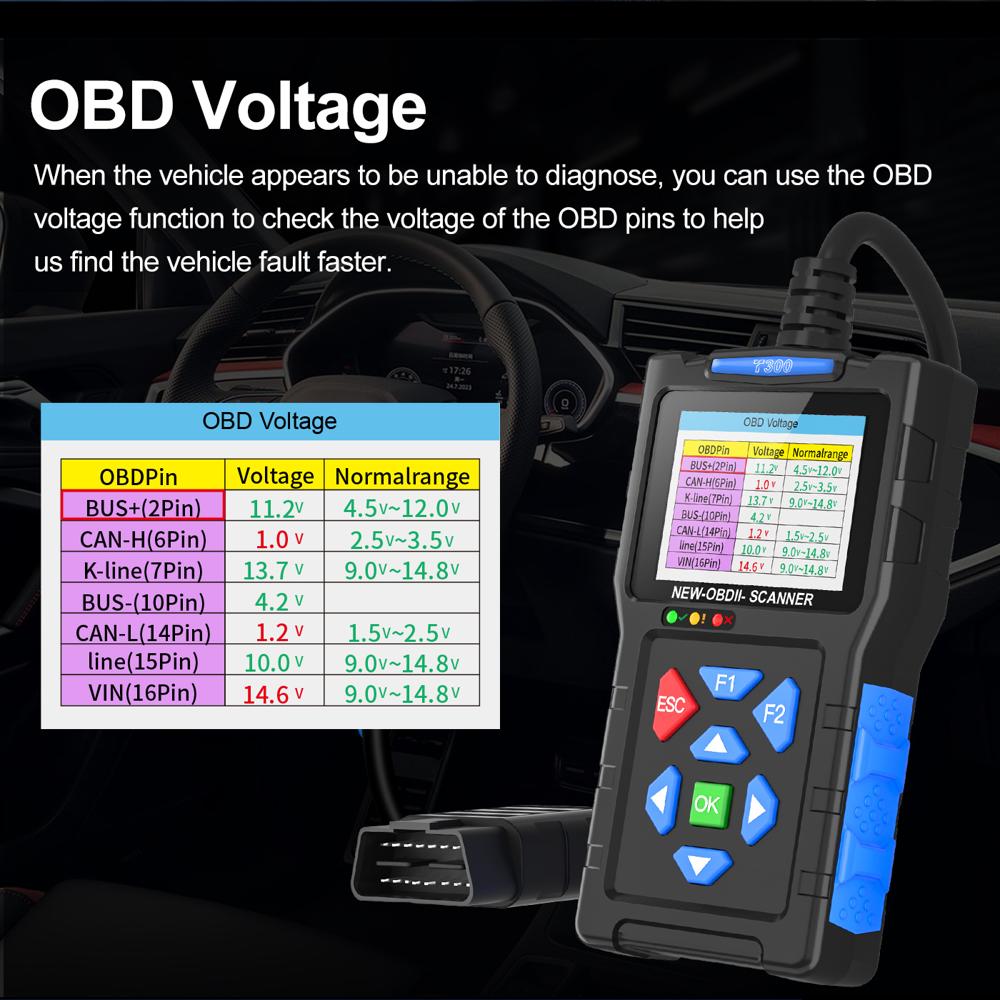
Operating Range: 8V to 30V working voltage
Technical Info
Operating Temperature: 0C to 70C
Storage Temperature: -10C to 85C
13 Supported Languages: English, Spanish, French, Italian, Russian, Portuguese, German, Polish, Dutch, Japanese, Turkish, Indonesian, Chinese
Package Contents
1 x T300 Main Unit
1 x OBDII Cable
1 x Manual
1 x Color Box
All-in-One Automotive Diagnostics
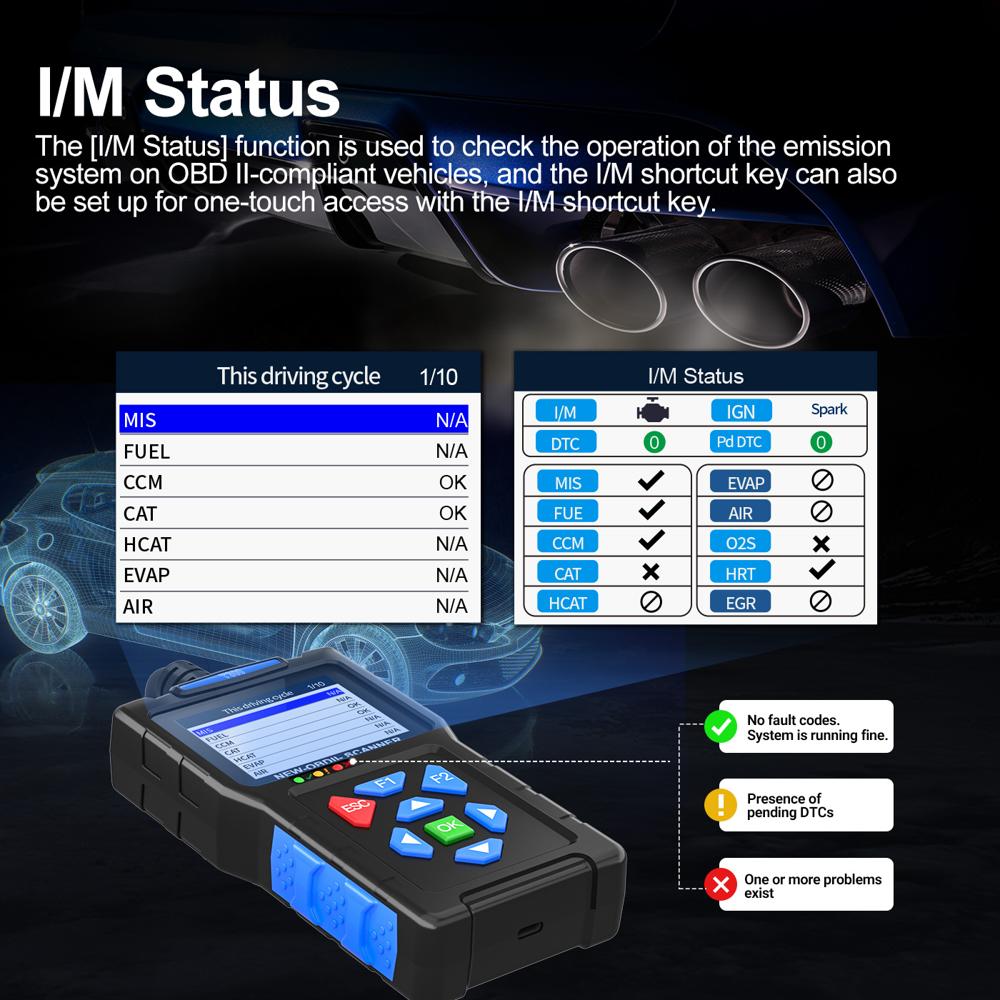
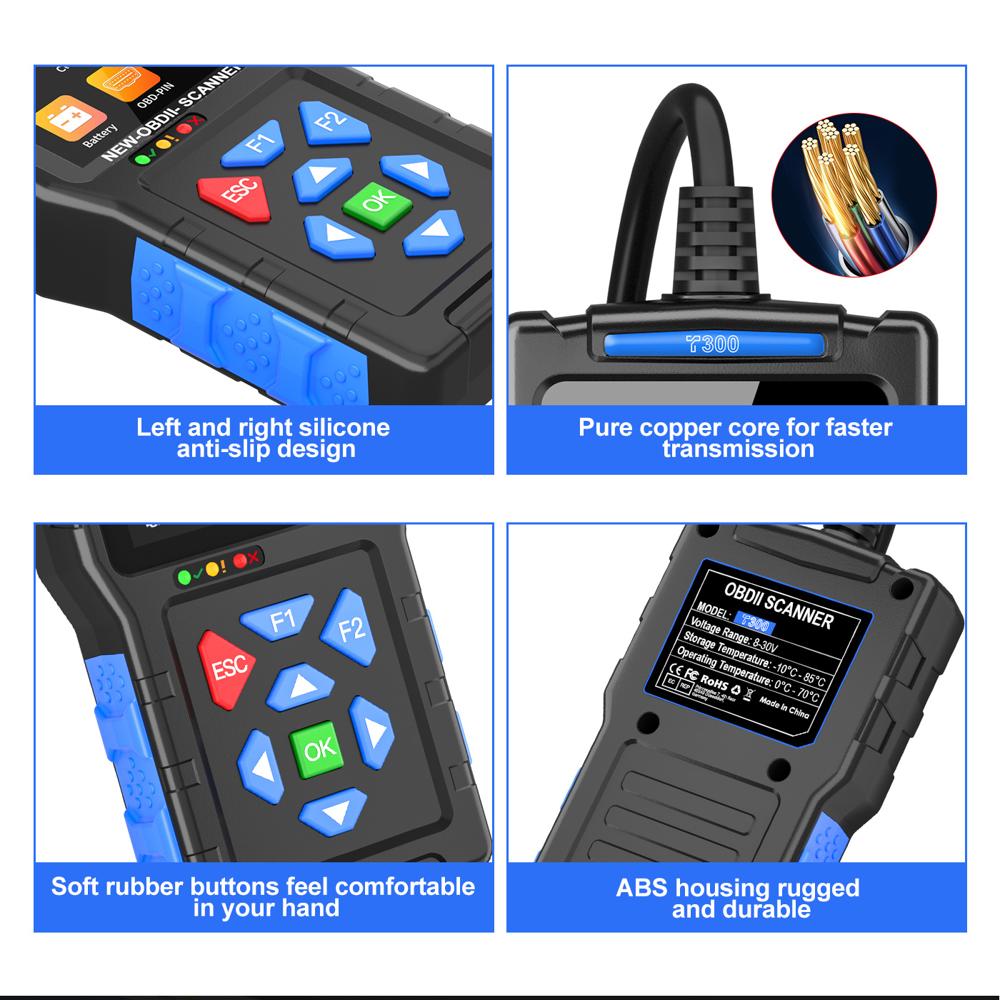
The T300 OBD2 Scanner brings industry-leading diagnostic power to your workshop or garage. Its wide protocol compatibility-supporting OBD2, EOBD, and CAN standards-means you can use it on most modern passenger cars and light commercial vehicles. Its user-friendly display and robust build make it a dependable tool for both professionals and enthusiasts.
Advanced Battery Testing and Waveform Monitoring
Evaluate your vehicle's battery condition comprehensively with the T300's state-of-charge, state-of-health, and cranking abilities. Live data and waveform monitoring offer insight into vehicle performance and help pinpoint issues quickly. This capability, combined with visual LED status indicators, enhances real-time diagnostics and battery maintenance.
Easy Updates and Intelligent Data Management
With free lifetime software updates through a PC USB connection, the T300 remains up-to-date with new codes and features. Its built-in data storage lets you review diagnostic results and waveform histories anytime. The device's multilingual interface ensures usability for technicians worldwide, making vehicle service efficient and accessible.
FAQ's of T300 OBD2 Scanner Battery Tester Waveform Monitoring 50000+ DTCs 2.8in Color Screen:
Q: How do I update the software on the T300 OBD2 Scanner?
A: You can update the T300's software by connecting it to your PC via the included USB cable. Simply follow the manufacturer's update instructions to enjoy free lifetime updates, ensuring access to the latest diagnostic codes and features.Q: What types of vehicles are compatible with the T300 OBD2 Scanner?
A: The T300 supports most passenger cars and light commercial vehicles that use OBD2, EOBD, or CAN protocols. This wide compatibility makes it suitable for various makes and models from around the world.Q: What battery testing features does the T300 offer?
A: The T300 provides comprehensive battery assessments, including State of Charge (SoC), State of Health (SoH), and cranking tests. These features help you identify battery performance issues and determine when a replacement may be necessary.Q: When is it beneficial to use the waveform monitoring function?
A: Waveform monitoring is valuable when you need to observe real-time changes in live data or battery performance. It is particularly helpful for diagnosing intermittent electrical issues or verifying the results of repairs during service.Q: Where can I review previous diagnostic sessions on the T300?
A: Results from past diagnostics and battery tests are stored in the scanner's built-in memory. You can access and review previous data directly on the 2.8-inch color LCD display, making it easy to track your vehicle's diagnostic history.Q: What steps are involved in testing a vehicle's battery using the T300?
A: Connect the T300 to your vehicle's OBD2 port, navigate to the battery test menu, and follow the on-screen prompts to conduct SoC, SoH, and cranking assessments. The scanner will display results for immediate evaluation and save them for later review.Q: What are the key benefits of using the T300 OBD2 Scanner?
A: The T300 offers in-depth diagnostic coverage with support for over 50,000 DTCs, waveform monitoring, reliable battery testing, multilingual support, and convenient data playback. Its robust design and PC USB updates ensure your tool remains current and versatile over time.Tell us about your requirement

Price:
Quantity
Select Unit
- 50
- 100
- 200
- 250
- 500
- 1000+
Additional detail
Mobile number
Email

Other Products in 'OBD Scan Tool' category

ZHONG SHAN YUE SHUN ECOMMERCE CO.LTD

- 16 Block, No 11 South, Jun Dou Sha Industrial Area, Cao er Villiage, Zhong Shan, Guangdong - 528421, Beijing Shi, China
- Phone : 86--18676114600
ZHONG SHAN YUE SHUN ECOMMERCE CO.LTD

- Mr. Andy Tao (Sales Manager )
- Mobile : +8618676114600, +8616266242525
- Send Inquiry
 : +1 (626) 624-2525
 Send Inquiry
Our Products
 Send Inquiry
 Send SMS
ZHONG SHAN YUE SHUN ECOMMERCE CO.LTD [140027][Guangdong](no images)
All Rights Reserved.(Terms of Use)
Developed and Managed by Infocom Network Private Limited.
Developed and Managed by Infocom Network Private Limited.

