
T100 OBD2 Scanner Car Diagnostic Tool Clear DTCs Live Data 1.7in Color Screen 12 Languages
3680.0 INR/Piece
Product Details:
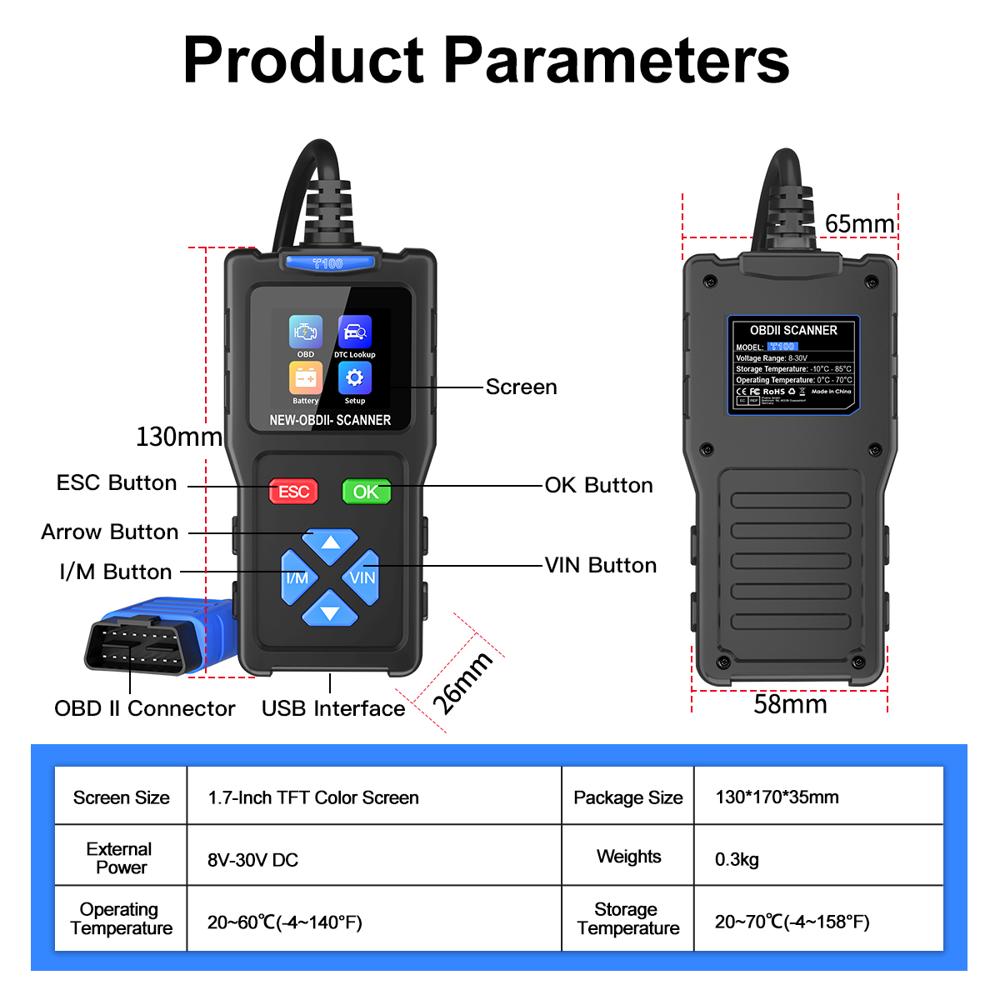
- Dimension (L*W*H) 118 x 68 x 22 mm
- Material ABS Plastic
- Surface Treatment Textured
- Color Black & Orange
- Model No T100
- Working Life Over 100,000 cycles
- Size Handheld
- Click to View more
X
T100 OBD2 Scanner Car Diagnostic Tool Clear DTCs Live Data 1.7in Color Screen 12 Languages Price And Quantity
- 3680.0 INR/Piece
- 1 Piece
T100 OBD2 Scanner Car Diagnostic Tool Clear DTCs Live Data 1.7in Color Screen 12 Languages Product Specifications
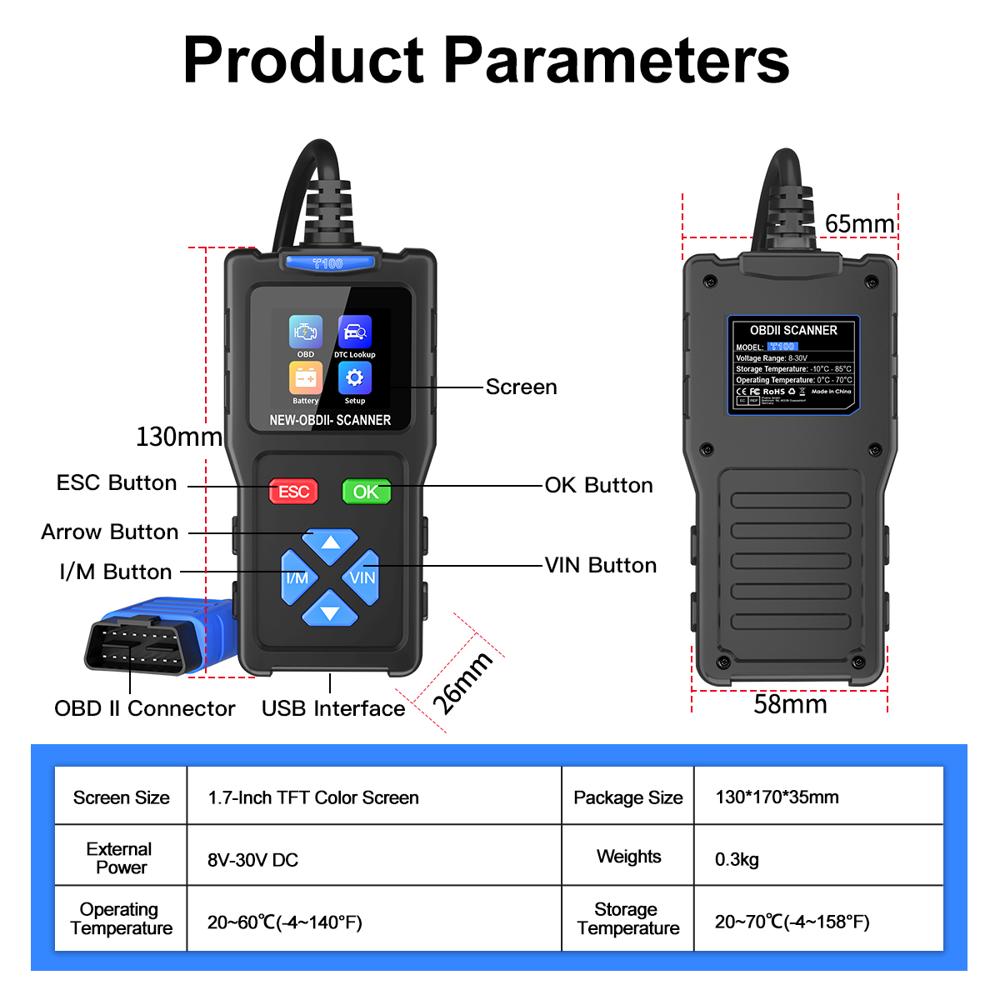
- 130 grams
- Handheld
- -20C to 60C
- Over 100,000 cycles
- Black & Orange
- T100
- Textured
- Wired (OBD2 16-pin Connector)
- ABS Plastic
- 118 x 68 x 22 mm
- Passenger Cars, Light Trucks
- 1.7 inch Color Screen
- Yes
- Plug and Play
- OBD2 Scanner Car Diagnostic Tool
- Proprietary Embedded System
- Automotive diagnostics for OBD2/EOBD compliant vehicles
- Silent
- Diagnostic Tool
- Matte
- ISO9141, KWP2000, J1850 PWM, J1850 VPW, CAN
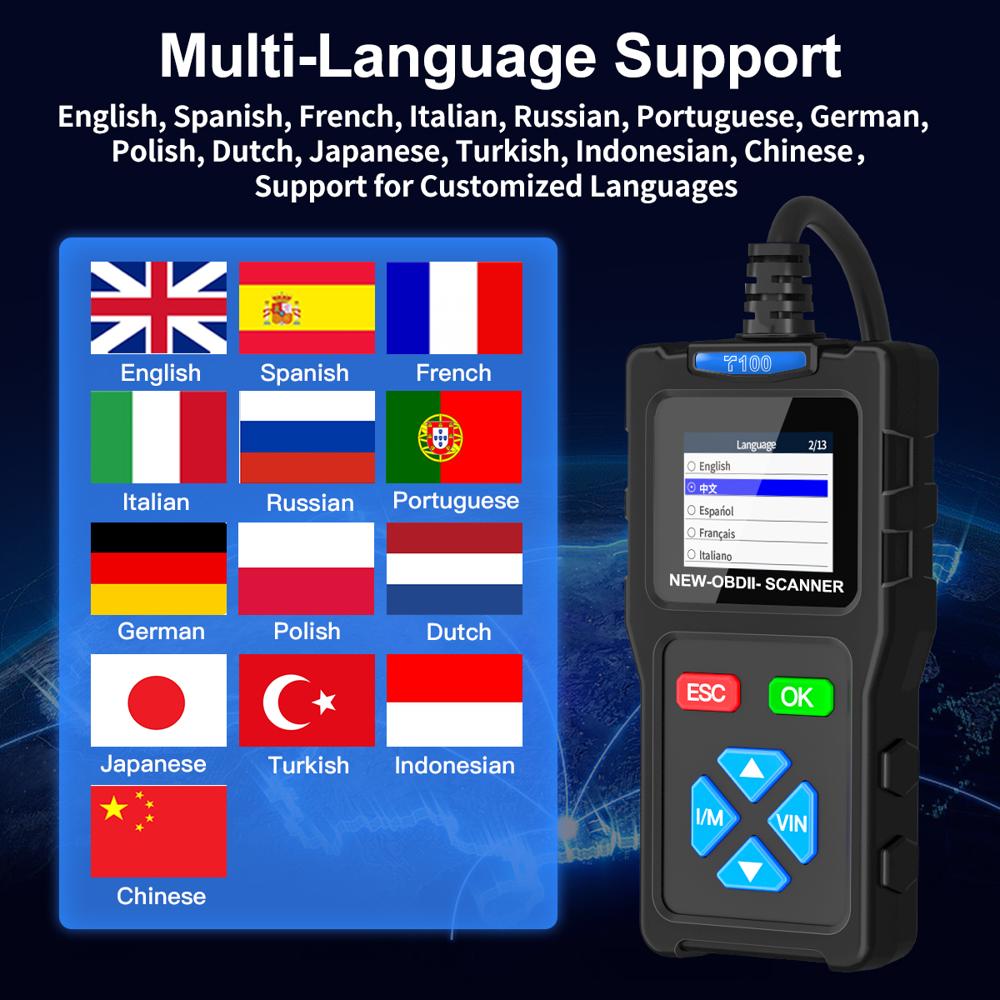
- 12 (Including English, French, Spanish, German, Russian, Italian, Dutch, Portuguese, Japanese, Chinese, Korean, Polish)
- Yes
- Yes
- Approximately 80 cm
- 12V DC (via vehicle OBD2 port)
- Button operated
- 128 x 160 pixels
Product Description
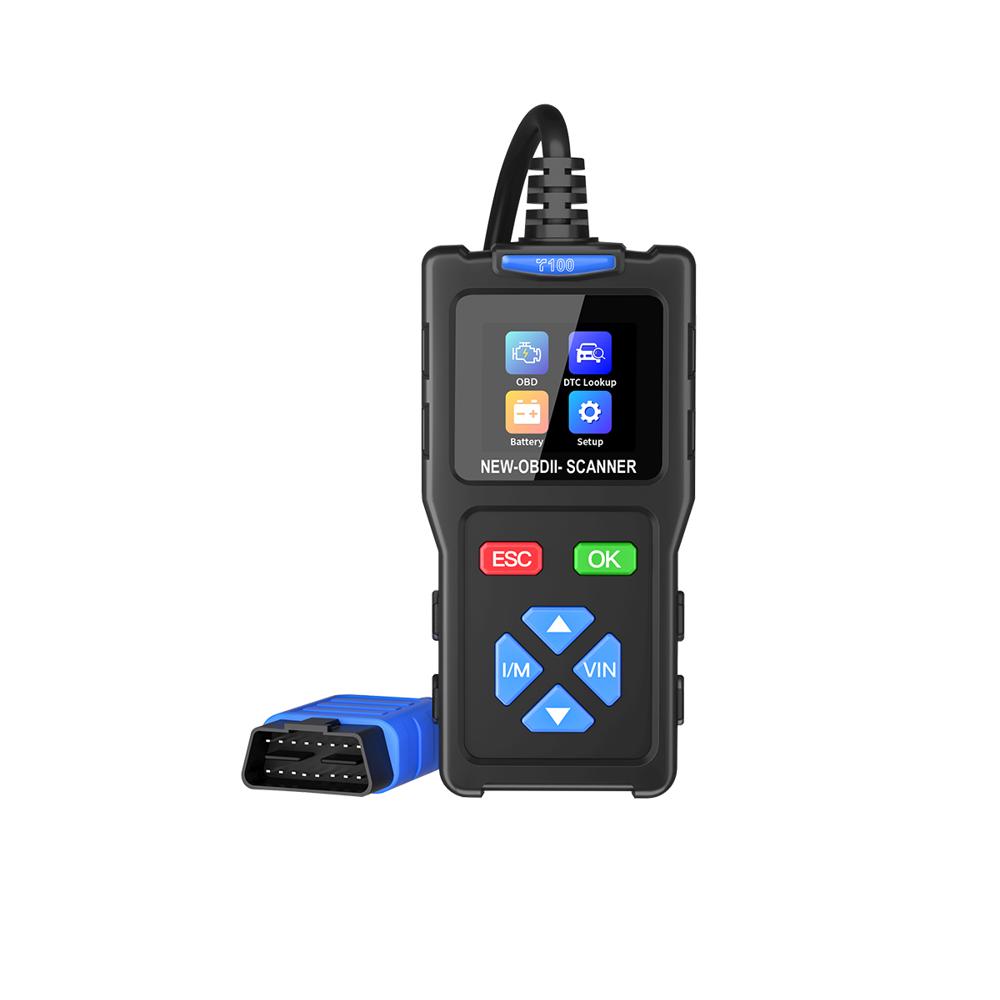
Essential Car Diagnostic Tool Quickly read and clear diagnostic trouble codes (DTCs) and view live data streams for efficient vehicle troubleshooting.
One-Touch Features Equipped with one-touch I/M readiness and VIN inquiry buttons for rapid emissions checking and vehicle identification.
Compact Color Display Features a clear 1.7-inch color display for easy reading of diagnostic information in various lighting conditions.
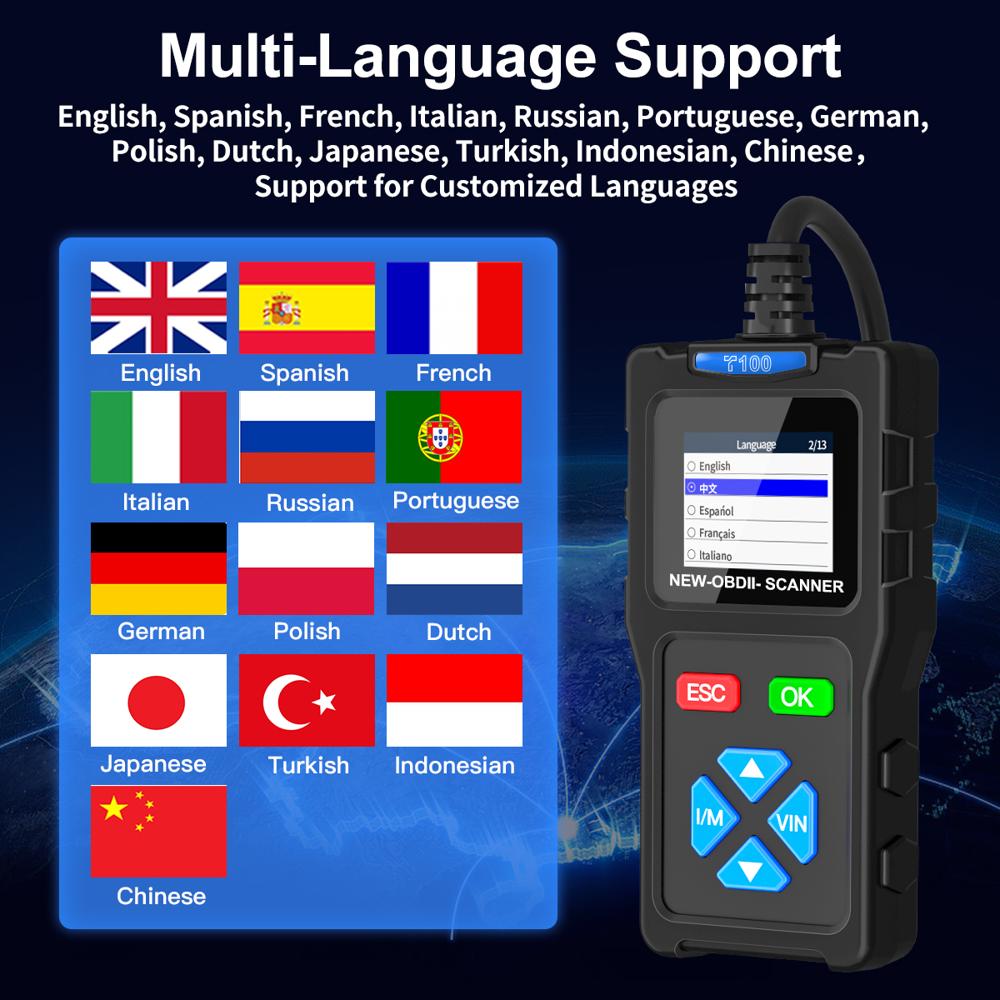
Global Language Support Supports 12 languages including English, Spanish, French, German, Italian, Russian, Japanese, and more.
Wide Compatibility Supports 9 standard OBDII protocols, making it compatible with most OBDII/CAN compliant vehicles.
Full Product Description:
Item No: T100
T100 OBD2 Scanner Car Diagnostic Tool
The T100 is a compact and efficient entry-level scanner that provides all essential OBDII diagnostic functions. Ideal for DIYers and car owners, it features a clear color screen and simple one-touch operations for quick vehicle health checks.
Core Diagnostic Functions
Read and Clear Engine Fault Codes
Live Data Stream Monitoring
One-touch I/M Readiness Check
One-touch VIN Inquiry
Freeze Frame Data View
O2 Sensor Test
On-board Monitoring (Mode 6)
Component Test (Mode 8)
Built-in DTC Lookup Library
Technical Specifications
Display: 1.7-inch color screen
Dimensions: 130mm x 70mm x 21mm
Housing Material: ABS shell
Connection: High-quality copper wire OBDII cable
Buttons: Soft-touch navigation and function keys
Global Settings
Languages: English, Spanish, French, German, Italian, Russian, Turkish, Portuguese, Dutch, Japanese, Korean, Chinese
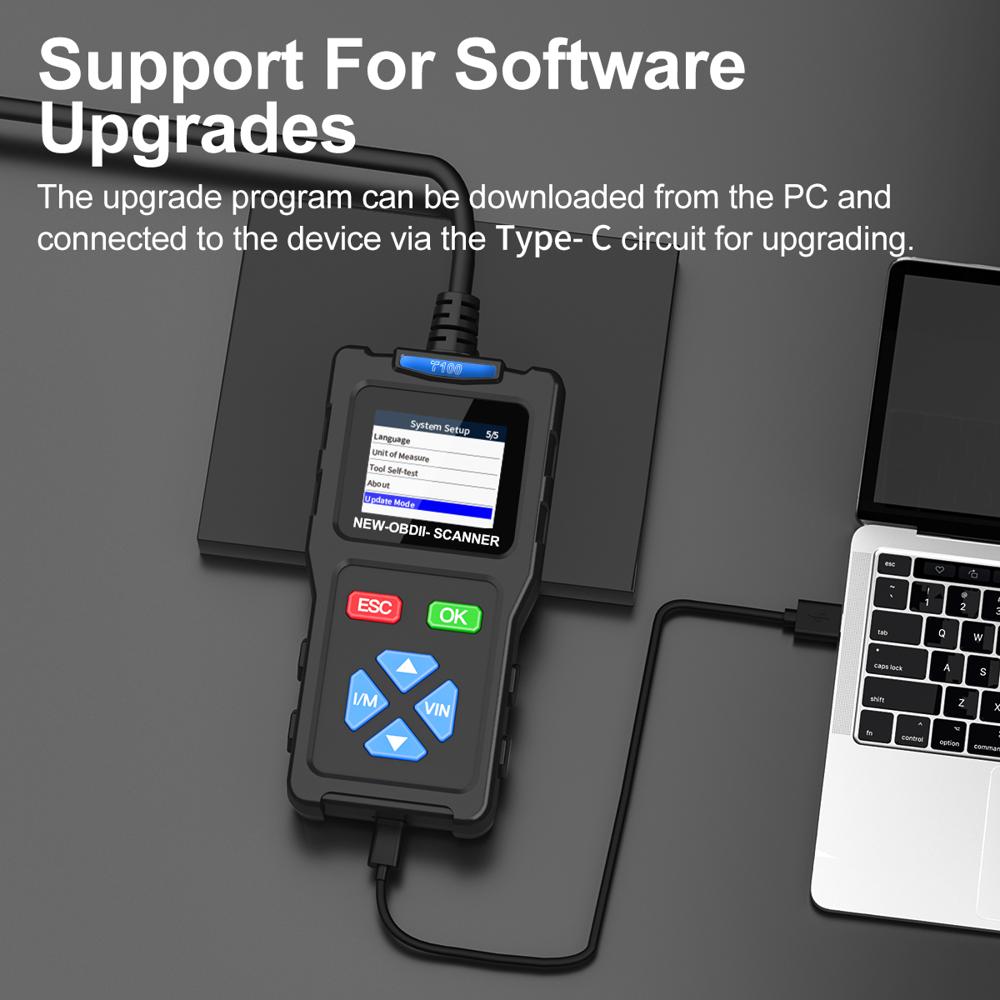
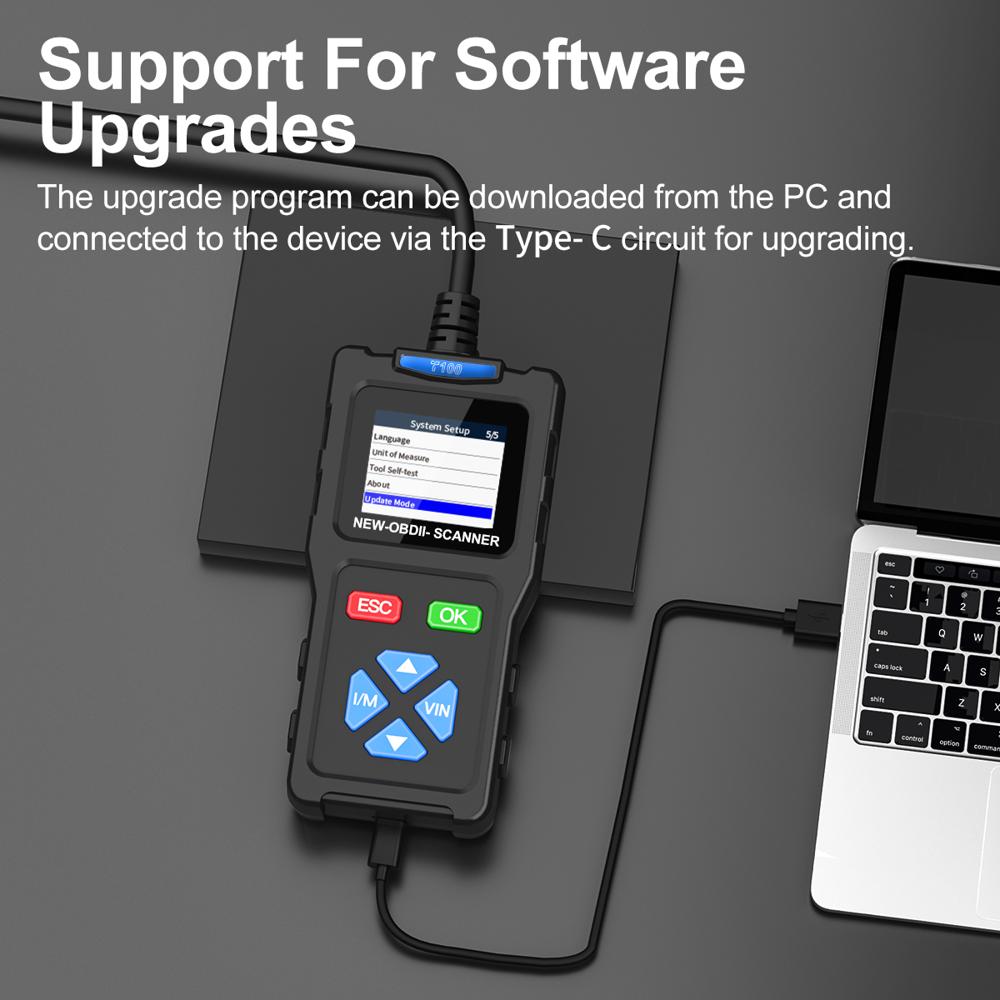
Update: Supports online software upgrades
Package Contents
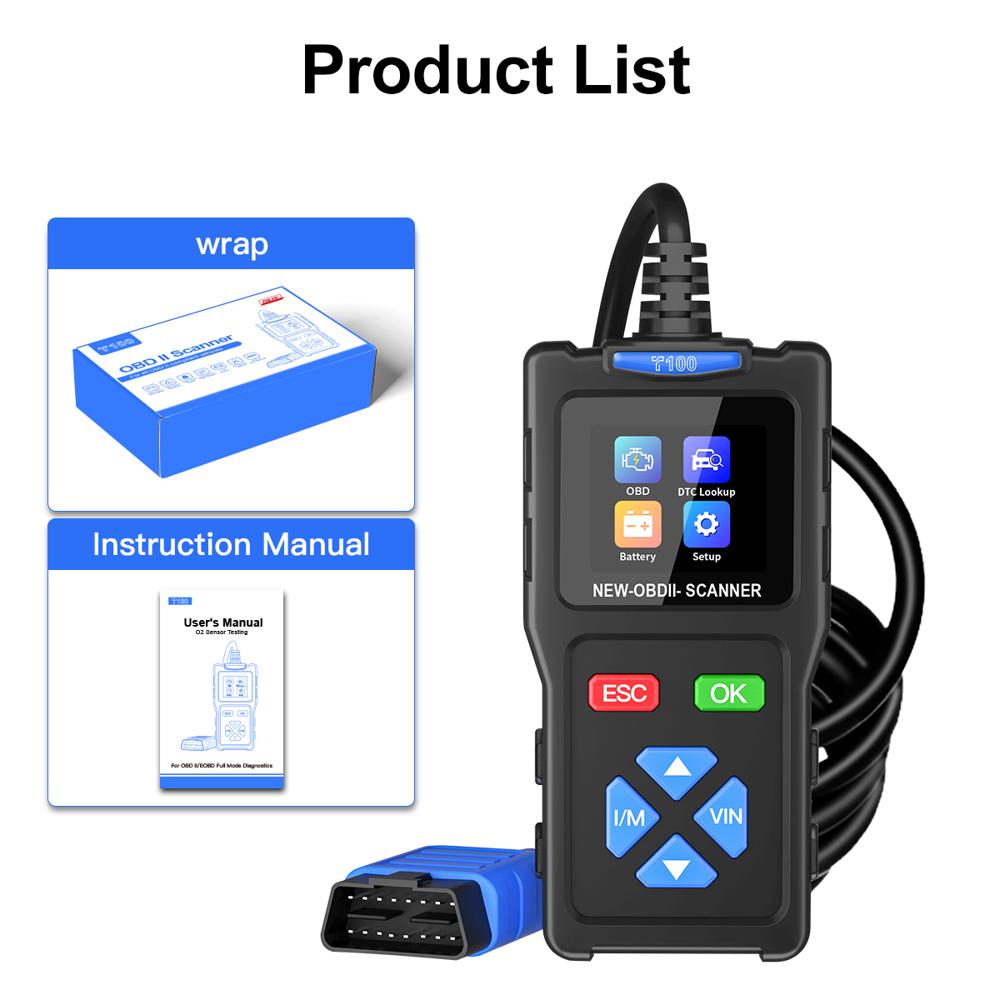
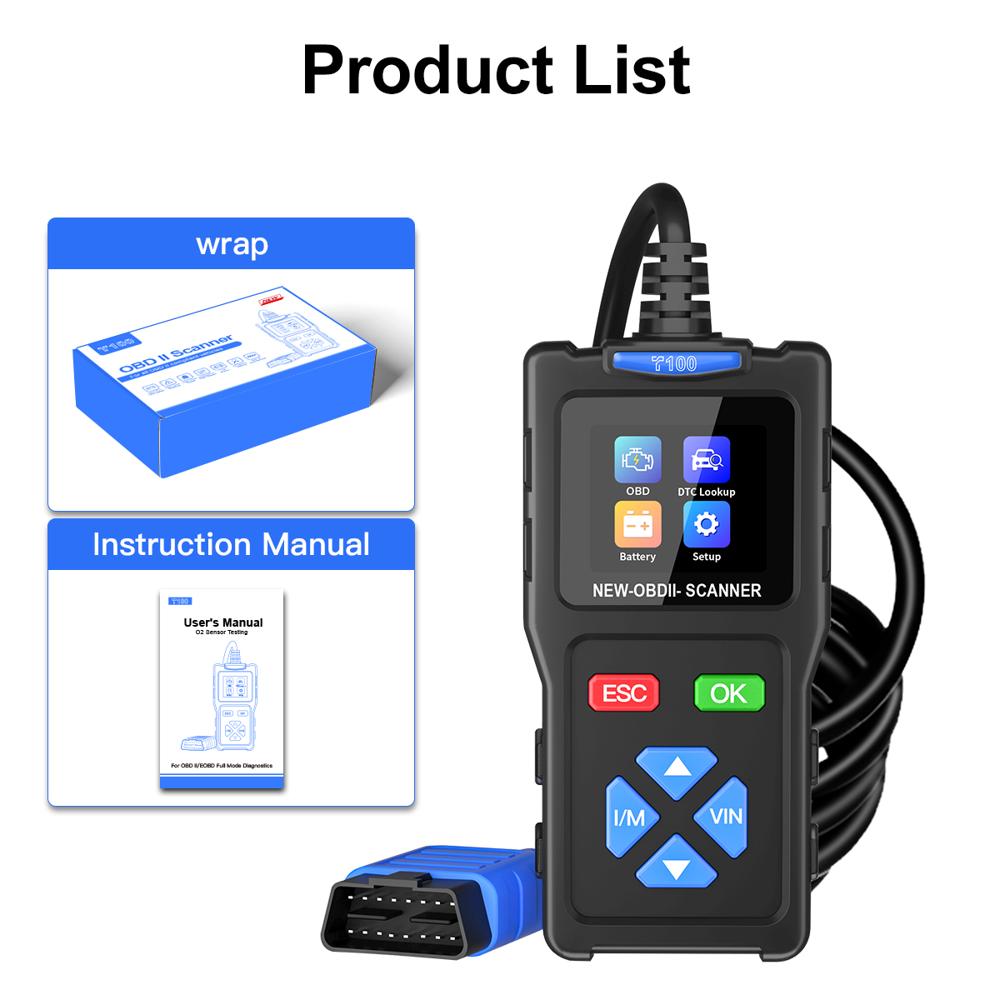
1 x T100 Host Unit
1 x Instruction Manual
Multi-Protocol & Vehicle Compatibility
The T100 supports ISO9141, KWP2000, J1850 PWM, J1850 VPW, and CAN protocols, ensuring broad compatibility with most OBD2/EOBD-compliant vehicles. This versatility makes it suitable for use on a wide range of passenger cars and light trucks, providing diagnostic convenience for both professionals and DIY enthusiasts.
User-Friendly Display & Navigation
Equipped with a 1.7-inch color screen and easy-to-use button-operated navigation, the T100 offers clear visual feedback and seamless access to essential diagnostic functions. The intuitive interface and multi-language support provide an accessible experience for users worldwide.
All-in-One Automotive Diagnostic Solution
From reading and clearing DTCs to displaying live vehicle data in real-time, the T100 offers comprehensive diagnostic features. Its durable construction, corrosion resistance, and reliable wired connection guarantee long-term use for workshops and individuals alike.
FAQ's of T100 OBD2 Scanner Car Diagnostic Tool Clear DTCs Live Data 1.7in Color Screen 12 Languages:
Q: How do I use the T100 OBD2 Scanner to diagnose my vehicle?
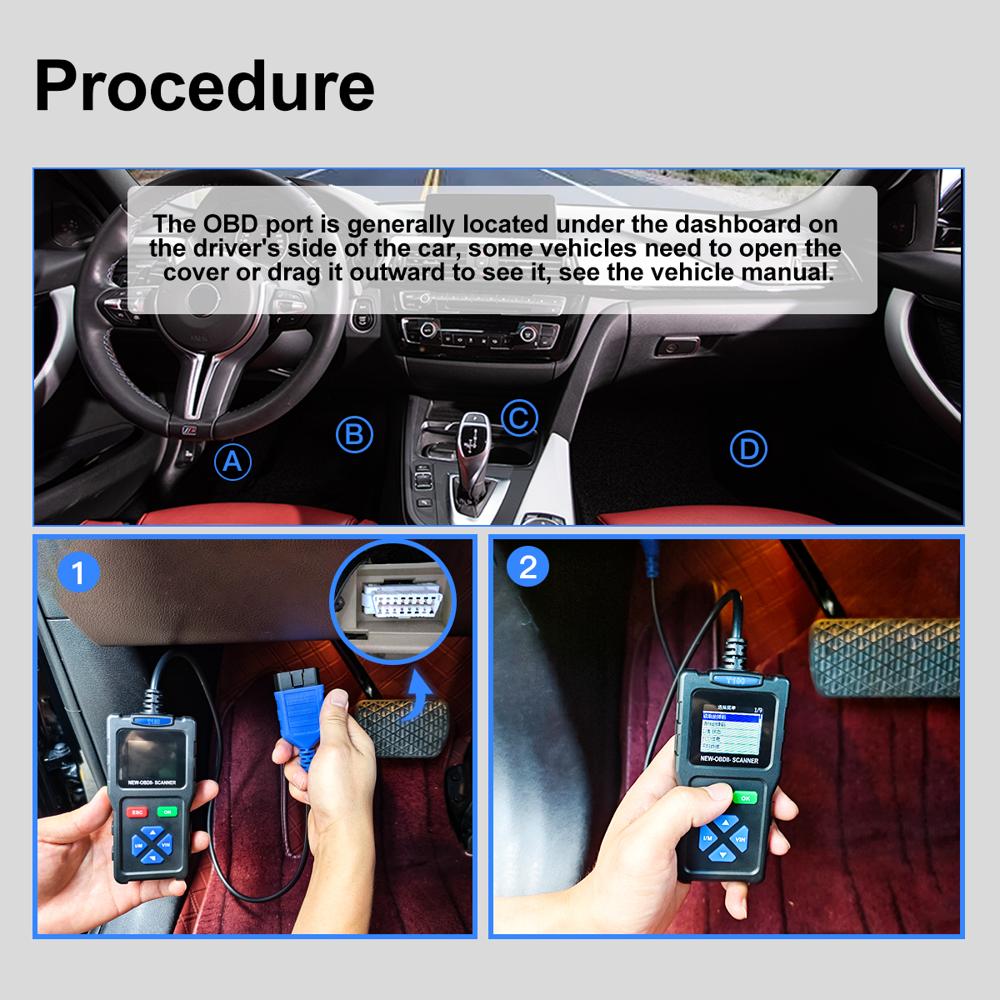
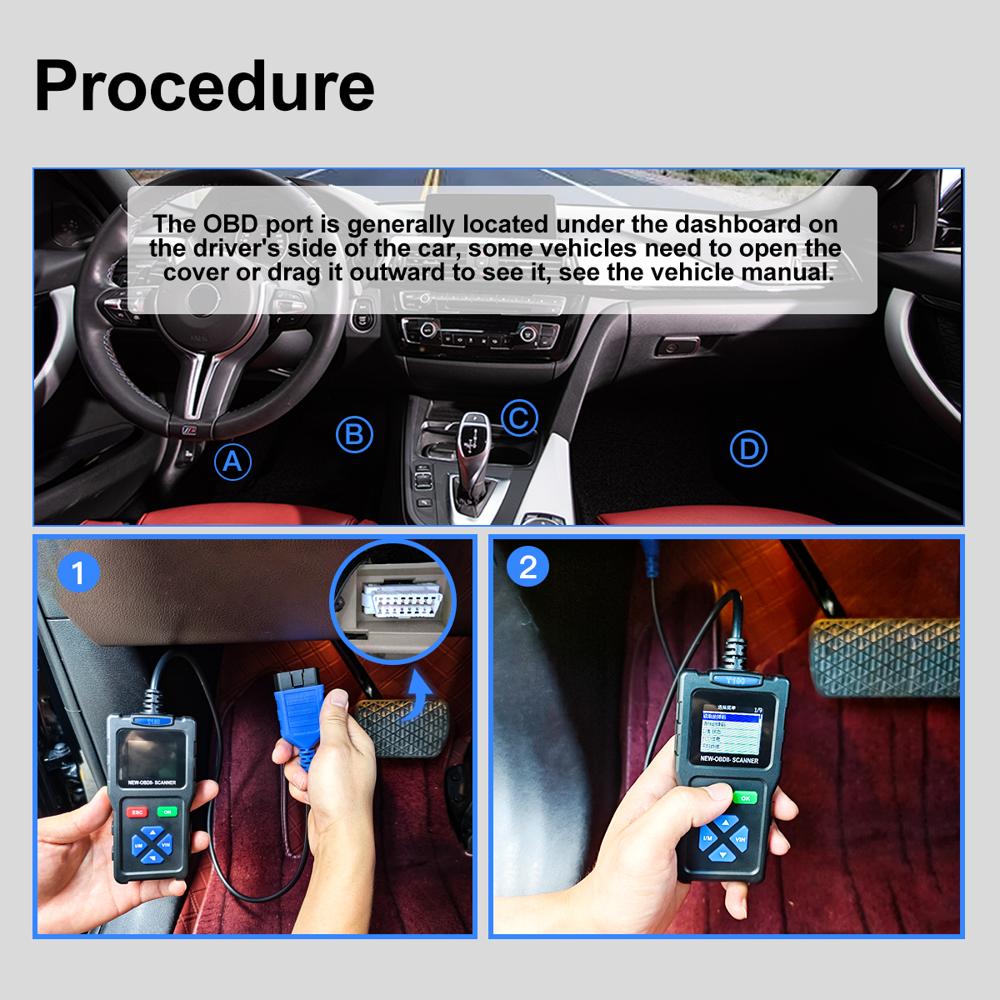
A: Simply plug the T100 into your vehicle's OBD2 port, turn on the ignition, and use the button navigation to select the diagnostic functions you need. The device will automatically communicate with your car and display information on its color screen.Q: What types of vehicles are compatible with the T100 OBD2 Scanner?
A: The T100 is designed for OBD2/EOBD-compliant passenger cars and light trucks, supporting major protocols like ISO9141, KWP2000, J1850 PWM, J1850 VPW, and CAN. Always check your vehicle's manual to confirm OBD2 compliance.Q: What benefits does the live data feature offer?
A: Live data display allows you to view key engine and sensor information in real time, helping pinpoint issues and monitor your vehicle's performance. This is particularly useful for both quick diagnostics and ongoing maintenance.Q: Can I use the T100 OBD2 Scanner if I don't speak English?
A: Yes, the T100 supports 12 languages, including English, French, Spanish, German, Russian, Italian, Dutch, Portuguese, Japanese, Chinese, Korean, and Polish, making it accessible for users around the world.Q: Where is the T100 OBD2 Scanner powered from?
A: The device is powered directly via the vehicle's OBD2 port, requiring no additional batteries or external power sources.Q: When should I use the code clearing feature?
A: You should clear DTCs after diagnosing and fixing any identified issues. Clearing codes resets the vehicle's onboard diagnostics and turns off the check engine light if the problem has been addressed.Tell us about your requirement

Price:
Quantity
Select Unit
- 50
- 100
- 200
- 250
- 500
- 1000+
Additional detail
Mobile number
Email

Other Products in 'OBD Scan Tool' category

ZHONG SHAN YUE SHUN ECOMMERCE CO.LTD

- 16 Block, No 11 South, Jun Dou Sha Industrial Area, Cao er Villiage, Zhong Shan, Guangdong - 528421, Beijing Shi, China
- Phone : 86--18676114600
ZHONG SHAN YUE SHUN ECOMMERCE CO.LTD

- Mr. Andy Tao (Sales Manager )
- Mobile : +8618676114600, +8616266242525
- Send Inquiry
 : +1 (626) 624-2525
 Send Inquiry
Our Products
 Send Inquiry
 Send SMS
ZHONG SHAN YUE SHUN ECOMMERCE CO.LTD [140027][Guangdong](no images)
All Rights Reserved.(Terms of Use)
Developed and Managed by Infocom Network Private Limited.
Developed and Managed by Infocom Network Private Limited.

